
Proton VPN: Secure & Fast VPN review
 Analysis by GetAllApps
I find Proton VPN easiest to judge by separating what you can use without paying from what a paid plan might be worth to you. The app is free to download, and its in-app purchases range from $9.99 to $119.88 per item. Those figures tell you the purchase range, not which plan is right or what every tier includes, so I would check the current options in the app before spending. The main appeal is that you can try a VPN from Proton AG without committing money upfront.
In day-to-day use, a VPN is most useful when I want a protected connection on public Wi-Fi, or when I need a different network route while travelling. A VPN is not a magic privacy shield: it changes how traffic is routed, but it cannot make every app, account, or website anonymous. That distinction matters more than a reassuring label. I would use this as one part of a sensible privacy routine, not as a replacement for careful sign-ins, strong passwords, or trust in the services I choose.
What the free option is worth
Proton VPN is a tools app that lets people try a VPN at no charge, while also offering in-app purchases. That free starting point is its clearest value for someone who wants to see whether a VPN fits their routine before deciding whether a paid option makes sense. Proton AG is the developer, and the app has a 4.7 average from around 1.4 million ratings, with over 100 million installs. Those figures suggest broad use, but they are not a guarantee that the experience will suit your device, network, or needs.
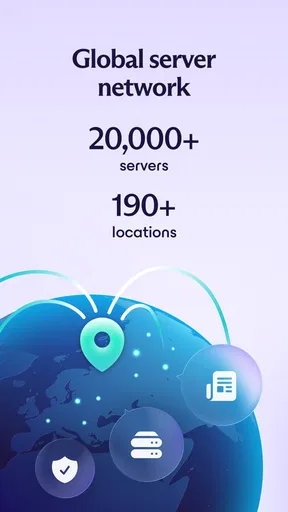
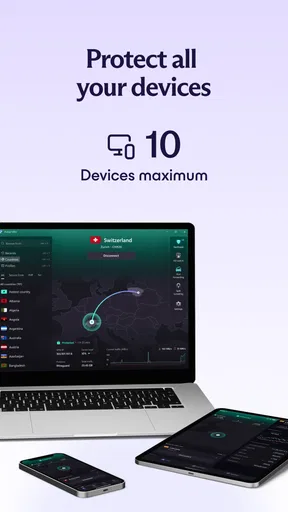
The app’s store information says it provides servers in more than 190 locations. That breadth can be useful when the nearest or most convenient route is not the one you need, but a long list of locations is not automatically a reason to pay. For ordinary browsing, I would first try a nearby connection and see whether the sites and apps I rely on remain responsive. If the free experience already handles your routine, there is no need to upgrade just because paid purchases are available.
There is a practical difference between free access and paid value: access lets you test the basic habit, while a purchase is only worthwhile if a particular paid option solves a problem you actually have. Since the purchase range runs from $9.99 to $119.88 per item, I would treat the lower and higher ends as a prompt to compare terms in the app, not as a price recommendation. Check the billing period, renewal details, and included features before confirming anything. The right comparison is not “VPN versus no VPN” in the abstract; it is the cost of the plan against the benefit you expect from it.
Where the app earns its place
My favourite use case is a quick connection check before doing something sensitive on shared Wi-Fi. Imagine arriving at a café, joining its network, and needing to read work messages or access an account. I would open the VPN, connect, then verify that the apps I need still work before settling in. That last step is easy to skip, but it catches the real-world friction: a connection can be active while a particular service still asks for extra verification or behaves differently.
Another useful workflow is to try the VPN when a service behaves oddly on a network you do not control. I would switch it on, reload the app or page, and compare the result with the VPN off. If the problem disappears, the network route may have been involved; if not, repeatedly changing locations is unlikely to be a productive fix. This kind of simple A/B check is more informative than assuming the VPN improves every connection.
The large location range also makes it possible to choose a route for a specific need rather than treating the VPN as a single on/off privacy switch. Still, location changes can affect speed and access in ways that vary by network and service. I would start with the closest suitable location and only move farther away when I have a reason. That habit keeps troubleshooting manageable and avoids chasing a theoretically ideal server without knowing whether it helps.
For travel, I would install the app and become familiar with its basic flow before leaving home. That way, I am not learning the interface while juggling a weak hotel connection or an unfamiliar Wi-Fi sign-in page. A VPN may also interfere with a network’s initial login screen, so if the page will not load, I would temporarily disconnect, complete the network sign-in, and then reconnect. This is a practical workaround rather than a reason to leave the VPN off all day.
Trade-offs to consider before paying
A VPN adds another step to connecting, and sometimes another source of troubleshooting. If a bank, streaming service, or other app rejects a connection, I would first test whether disconnecting resolves it. Some services treat a changed network route differently, and a VPN cannot promise that every app will behave as it does on a direct connection. If you depend on one service that is especially sensitive to location or network changes, test that service early rather than assuming the VPN will fit seamlessly.
There is also a speed trade-off. Routing traffic through a VPN can add distance and processing, so an otherwise fast connection may feel slower, especially when selecting a faraway location. I would not judge the app from one poor result on a crowded public network. Compare a nearby location with your ordinary connection, and repeat the test at a different time if performance matters. If your priority is the lowest possible latency for gaming or a live call, a direct connection may be the better choice whenever privacy on that network is not your concern.
Privacy tools require trust, too. A VPN shifts some of the network-routing role away from the Wi-Fi provider and toward the VPN service; it does not remove the need to decide whom you trust. I would read Proton AG’s current privacy and plan information before relying on the app for a high-stakes use case. The app’s name and reputation alone should not substitute for understanding what a VPN can and cannot protect.
Version 5.20.98.0 is the current version, and the minimum operating-system requirement is Android 8.0. The app is rated for Everyone and is free to install. Those details make it accessible to a broad range of Android users, but compatibility still depends on the phone’s software and any restrictions imposed by its owner or network. If you manage a work device, check your organization’s rules before adding a VPN profile or changing network settings.
Compared with a basic VPN bundled into a browser or a simple one-location utility, Proton VPN’s stated reach across more than 190 locations gives it a broader choice of routes. That breadth is useful if you have a specific location-related need, but it may be unnecessary for someone who only wants occasional protection on public Wi-Fi. Compared with choosing no VPN, it adds a privacy-minded routing option, but also creates the speed, compatibility, and trust trade-offs described above. I would compare alternatives on the exact plan terms and practical behaviour you care about, not on server counts alone.
Who is likely to get good value
I would recommend trying it to someone who is curious about VPNs but reluctant to pay before understanding the experience. The free entry point makes that test straightforward, and the app has enough location choice to be relevant beyond a single narrow scenario. It is also a sensible candidate for people who regularly use public networks and are willing to check that their everyday apps still work after connecting.
It is less compelling for someone who rarely uses unfamiliar networks, has no location-specific need, and is already satisfied with their normal connection. In that case, the extra app and connection step may be more hassle than benefit. It may also be the wrong choice for a user who expects a VPN to guarantee anonymity, bypass every service restriction, or improve every slow connection. Those expectations are too broad for any VPN, and paying more does not turn those outcomes into guarantees.
If you are considering an upgrade, I would make a short list of what you need first: more flexibility, a particular usage pattern, or another feature clearly included in the plan you are viewing. Then compare that list with the purchase details shown in the app, including renewal terms. The listed in-app purchase range alone is not enough to tell whether a subscription is good value for your household or usage. A month of real use, where available under the current offer, is more revealing than buying the largest option on the assumption that it must be best.
My buy-or-skip verdict
I would install Proton VPN and try the free access if I wanted a practical way to learn whether a VPN helps with my own networks. Its broad server-location range and no-cost starting point make that experiment worthwhile, while the large user base and strong average rating offer useful context rather than proof of personal fit. The app is free, with purchases from $9.99 to $119.88 per item, so I would keep the decision simple: use the free option first, identify a limitation you genuinely encounter, and only then decide whether a paid plan addresses it.
For me, that makes it a good low-risk trial, not an automatic subscription. I would skip paying if the free experience already covers my needs, or if I mainly want maximum speed and never use networks I distrust. I would consider a purchase only after checking the current plan details and confirming that its benefits match a real use case. That approach gives the app a fair test without confusing a large location list, popularity, or privacy language with a reason to spend.
Pros and cons
Pros
- A free plan is available without a data limit.
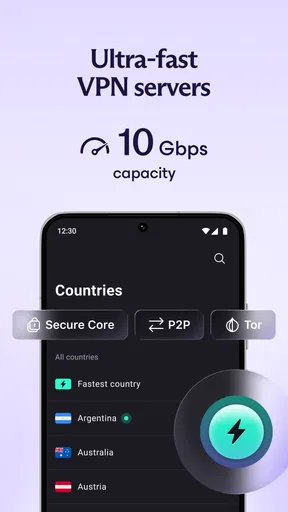
- The app includes servers in multiple countries.
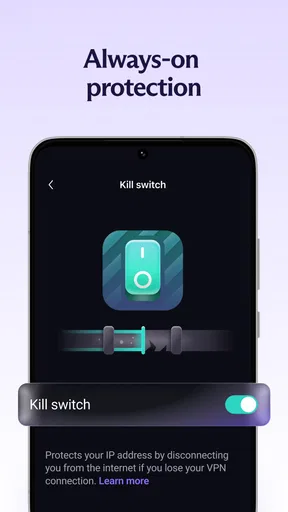
- A kill switch can help protect traffic if the VPN disconnects.
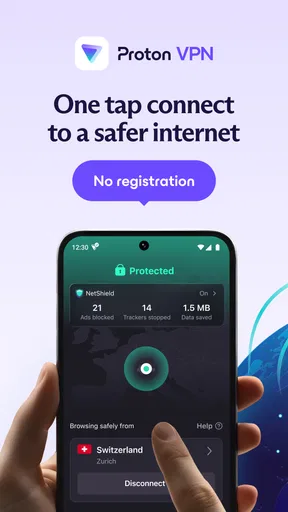
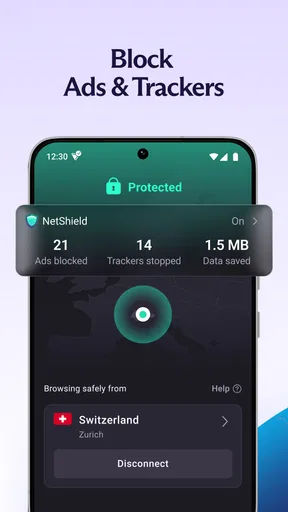
- The interface makes connecting to a server straightforward.
- The service is backed by an established privacy-focused provider.
Cons
- The free plan offers access to fewer server locations.
- Some servers may be slower during busy periods.
- Streaming access can vary by service and server.
- Advanced settings may feel complex to new VPN users.
- A VPN does not prevent tracking through accounts or cookies.


